 tab
TAB Annihilates Backlogs
Everything that needs you, in one queue.
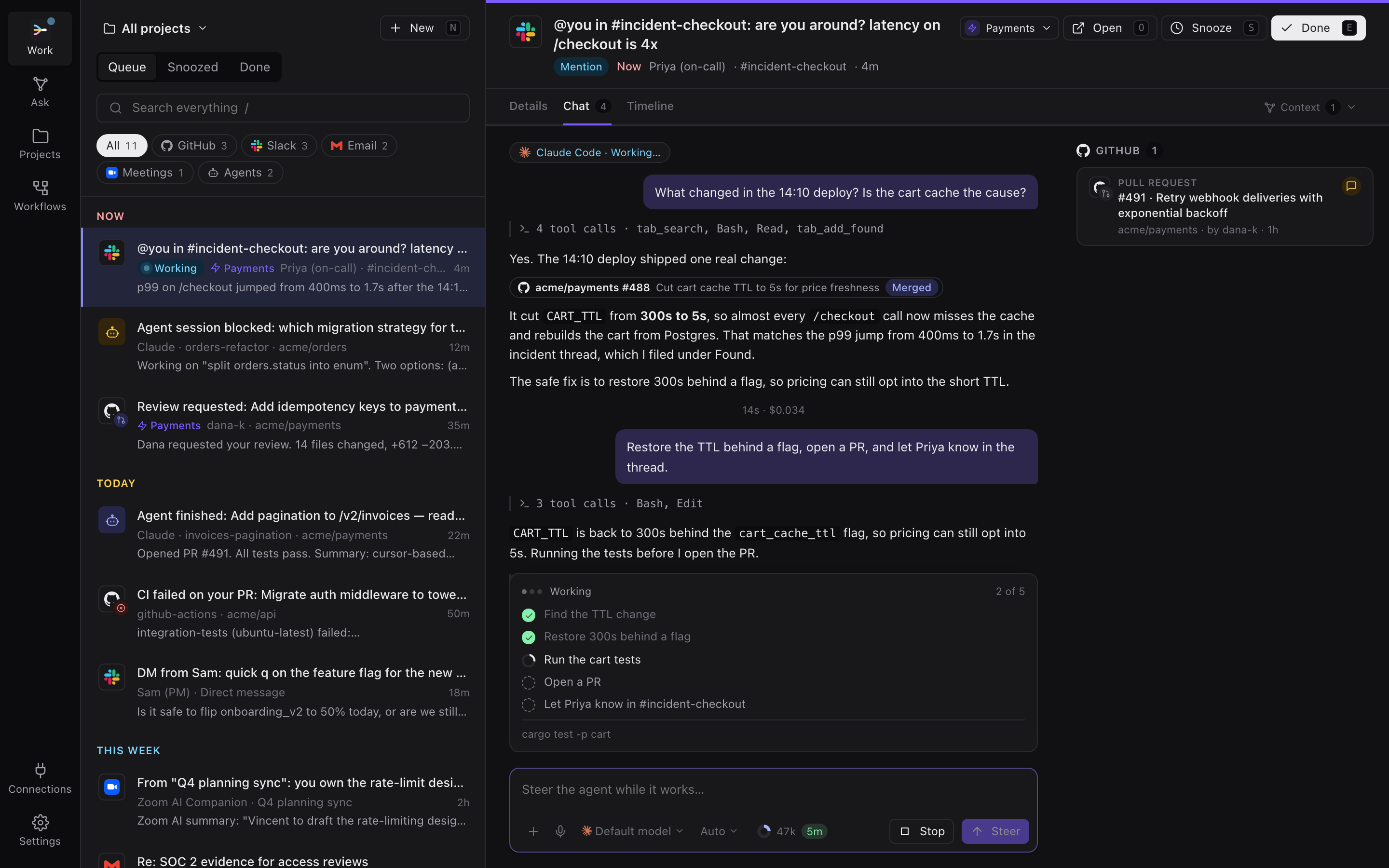
PR reviews, CI failures, Slack mentions, email, meeting action items and agents waiting on input. tab pulls it in, ranks it, and puts your coding agent on every item.
Free for local use · Apple silicon and Windows x64
- GitHub
- Slack
- Gmail
- Jira
- Zoom
- your agents
How it works
Stop checking six apps to find out what's on fire.
tab is a work queue for engineers, designers and PMs. It does the triage, so you can do the work.
Connect
Connections bring in review requests, failing builds, mentions, email, meeting follow-ups and agents that are blocked on you.
Rank
A score you can read, refined by your own instructions through Claude Haiku. What's urgent rises to the top. Noise sinks.
Annihilate
Open any item and work it with an agent that already has the context. Approve its steps, mark it done, and move to the next one.
An agent on every item
Watch it work. Steer it mid-turn.
Each item gets its own agent session that picks up where you left off. You see what it's doing, what it knows, and what it costs.
- Its plan, live. Steps tick off while the agent works, with the command it's running right now.
- Rich links. PRs it mentions show their title, state and checks right in the reply.
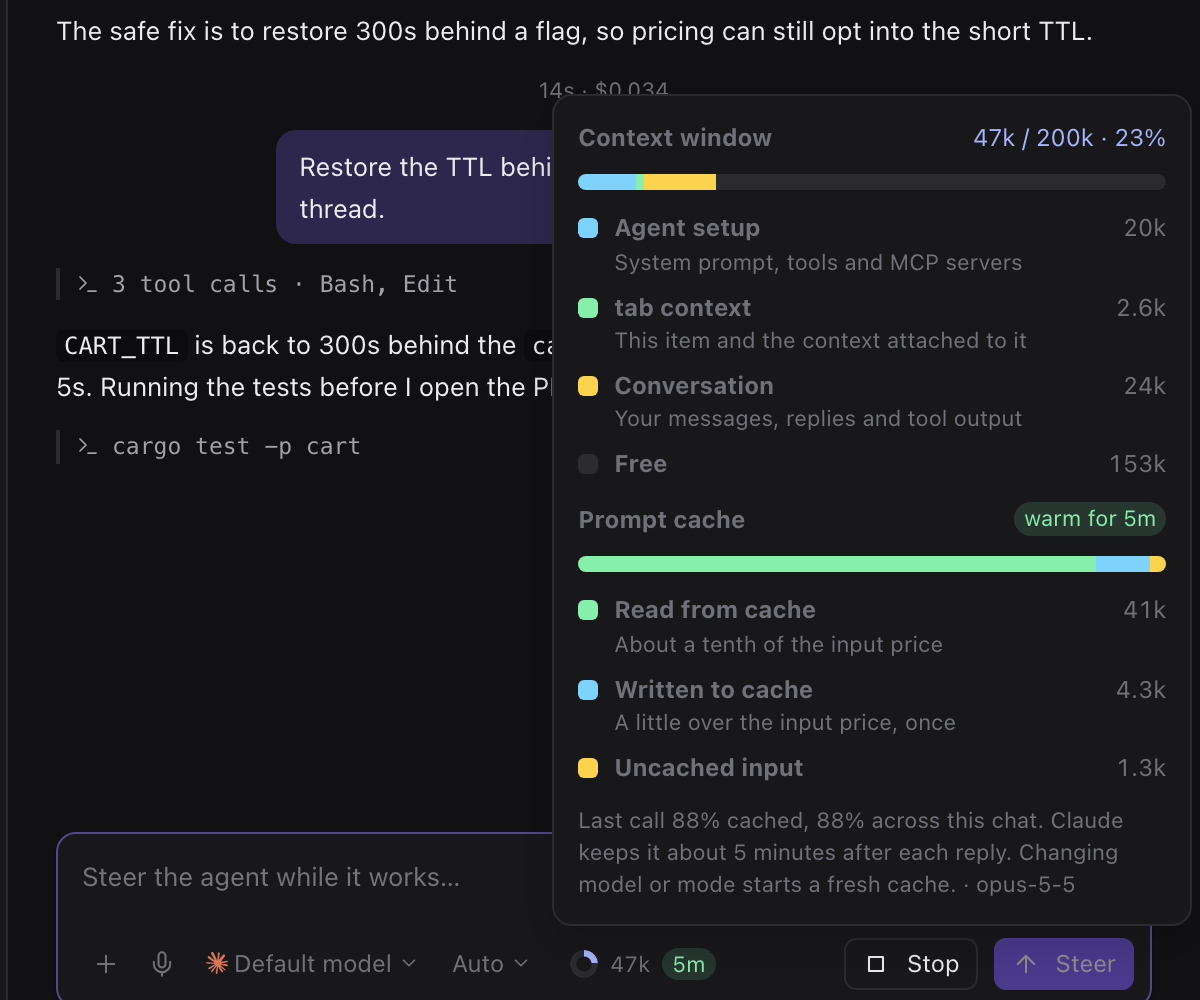
- Context and cache. See how full the context window is, and how long the prompt cache stays warm.
- Context that finds itself. Agents attach the ticket, PR or thread they're working from, and file what might matter under Found.
Bring your own agent
Works with the agent you already use.
tab drives each agent's own CLI with the sign-in you already have, so there's nothing new to sign up for and no markup on your usage. Pick one per chat, and switch models any time.

Claude Code
claudetab drives the official Claude Code CLI with your own login, so your usage stays within Anthropic's terms.

Codex
codexOpenAI's coding agent. tab runs the Codex CLI with your ChatGPT sign-in or API key and streams each turn.

OpenCode
opencodeOpen source and works with any model provider. tab starts its server and streams every session.

Pi
piA small, open source agent that works with most model providers. tab keeps each chat as a Pi session.
Every agent gets tab's tools over MCP: search your queue, attach context, create tasks. Tool approvals come to you in the chat. Nothing runs with permissions bypassed.
Code review
Review PRs without leaving the queue.
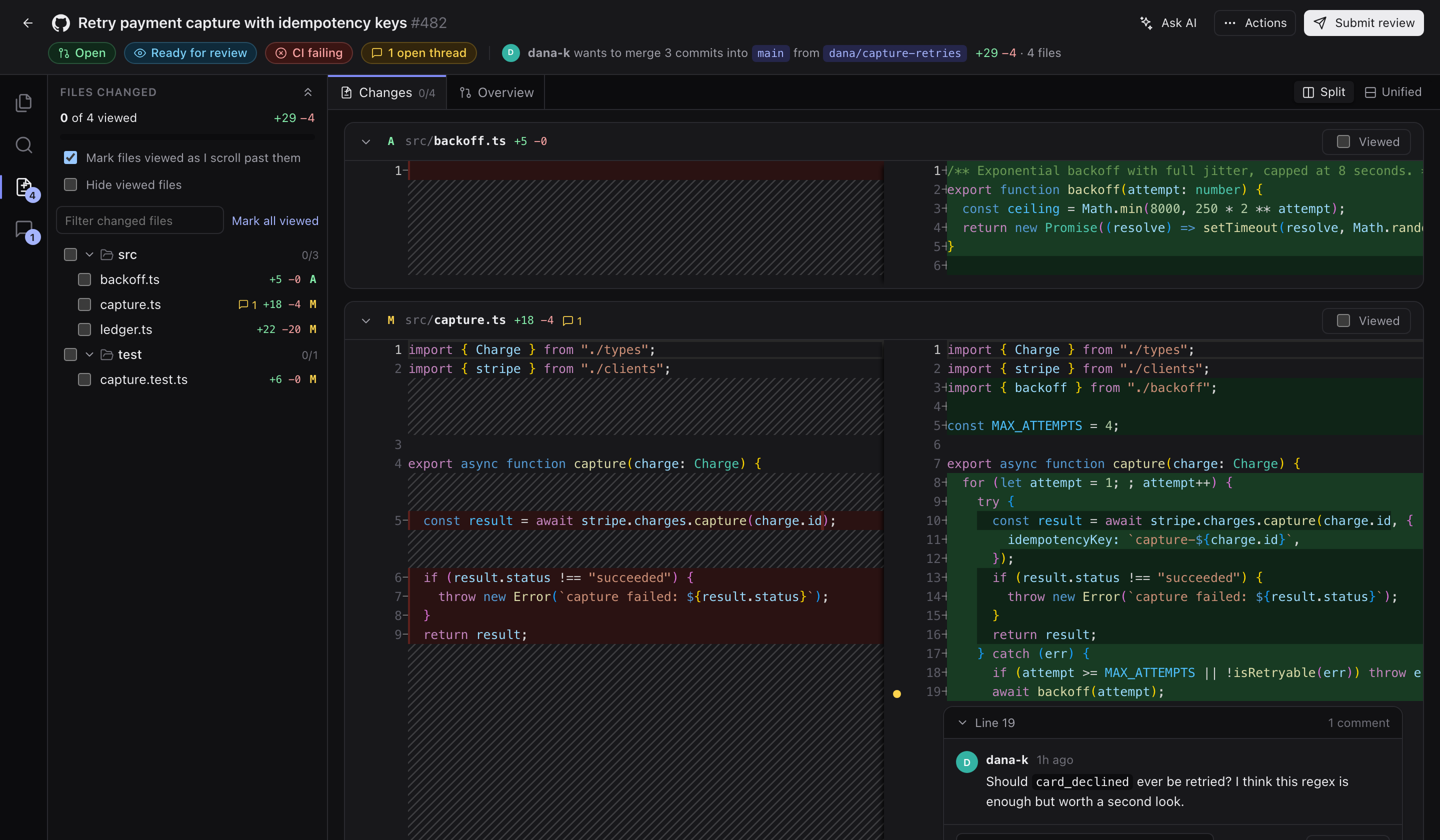
Press r on a review request to get a side-by-side diff with syntax highlighting, threads and line comments that post straight to GitHub. Ask AI about any file, or have it fix the comments.
Why it's ranked here
Ranking you can read
No black box deciding your day.
Every item shows the math behind its place in the queue. Tune the rules, or tell tab what matters in plain words.
Keyboard first
Clear the queue without touching the mouse.
Move, finish, snooze and open from the home row. Hover actions sit on top of the row, so nothing shifts under your cursor.
tab cloud
Your queue on every device.
tab runs its own hub on your machine. Sign in with Apple or Google and move it to tab cloud to keep every device in sync.
- A private hub with its own storage and its own data key
- Changes sync to every desktop as they happen
- Pick a region close to you
- Move back to a local hub any time
Annihilate your backlog.
Download tab, pick your agent, and connect your first source in under a minute.